
Overview: read the current monitored profile
Overview combines link status, changes during the selected period, referring domains, link text and followed versus nofollow attributes. Choose Last 30 days or Last 90 days for changes. The live-link breakdowns describe current retained observations; the period selector does not turn them into historical profiles. A referring domain here is a source hostname. Counts cover the links you monitor, with no claim to cover every backlink on the web. Several monitored records can refer to the same physical link. For links between pages on your own website, see internal links and page health. Those checks have a separate scope from this monitored-link profile. Use Save as PDF to print the overview. On a phone, find it in the page menu. Download CSV exports the loaded summary breakdowns, including available recorded costs. Some breakdowns show only the leading groups, so this CSV is not a complete export of individual links. For saved-link exports, see sync and export.Growth history: inspect recorded transitions
Select one website and open Growth history. Its chart uses retained monitoring events, including events for links removed from the Links table.
A link can contribute several transitions. These counts are not unique referring pages or links acquired during that period. An import followed by first verification can produce a spike in new events.
Events store the time AgentLinkOps recorded them in UTC; the app can display that time in your local timezone. This timestamp does not establish when a publisher created the link, a supplier discovered it, or you imported it. Earlier unobserved changes remain unknown.
A retention warning means some older events have expired. Zero retained events does not establish that nothing happened.
Choose Inspect records to read the events behind the chart. Export these events reads every page for the same selected window before creating a CSV. If the selection expires or its retained data changes, refresh history and restart the export. The API selection lasts one hour; it is not a permanent saved report.
Growth history does not assign today’s categories or supplier ranks to past events. Use explicitly saved Link mix snapshots for those comparisons.
Link mix: save a dated baseline
Select a website, open Link mix, then choose Save snapshot. Save again when you want another comparison point. Opening the page or refreshing its list does not save a snapshot. Each snapshot includes active and paused monitored links and excludes links removed from the table. The limit is 1,000 monitored links per website. An oversized save fails without saving a partial baseline. Snapshots expire after 90 days. Erasure can remove them earlier, including the whole snapshot when one of its contained link records is erased. Export records you need to keep beyond that period. The saved date marks completion of the save. AgentLinkOps reads the records over a short interval; source measurements can have different dates. History starts at your first save. A missing earlier date means there is no saved profile for that date.Choose the category view
The Category source selector offers three views of the saved records:- Displayed categories: your saved choice when present; otherwise an available current assessment.
- Your chosen categories: choices saved for each monitored link, including a deliberate clear.
- Current assessed categories: usable assessments current at the time of the save, without replacing your saved choices.
Read authority with its scale and dates
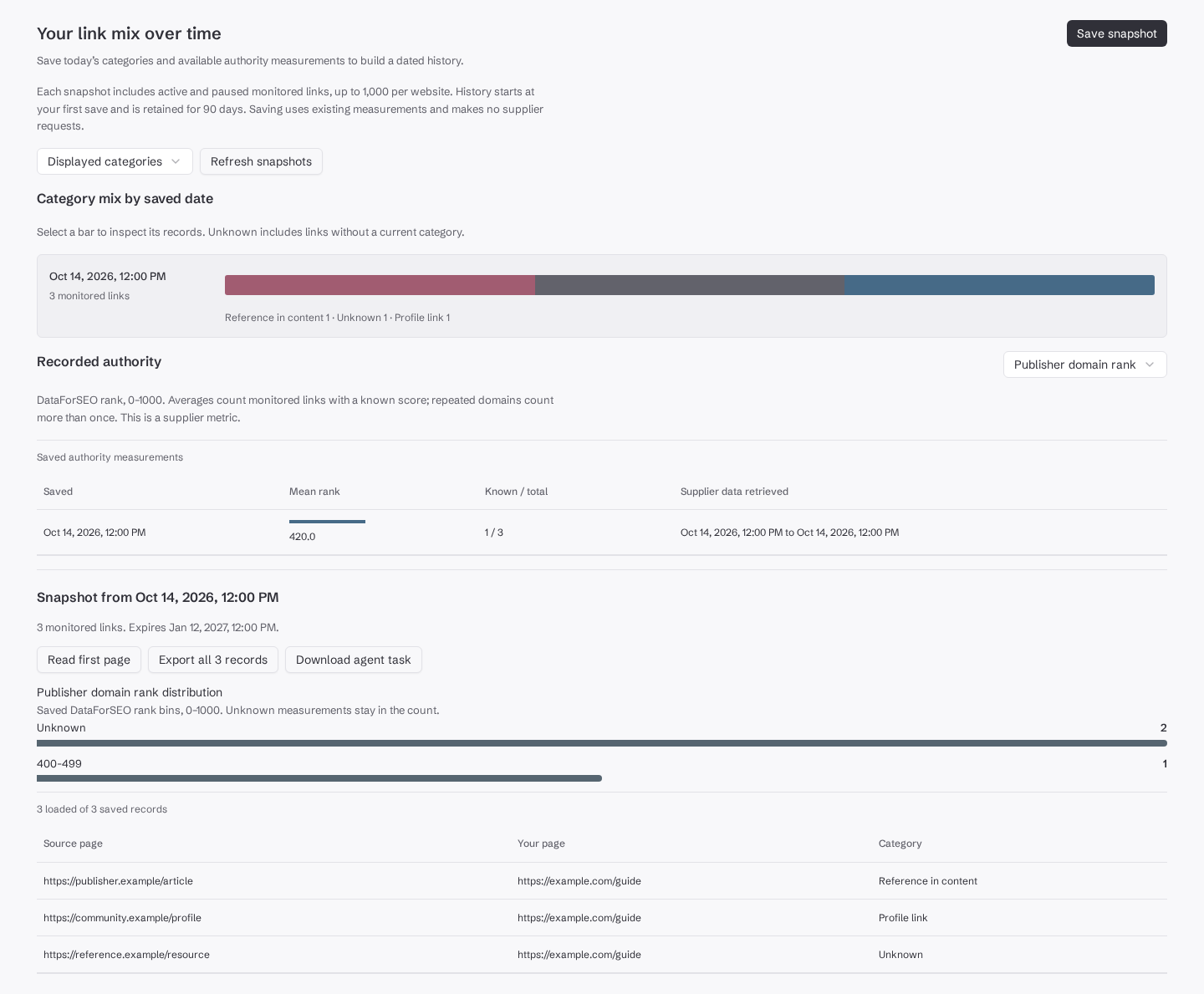
Recorded authority separates Publisher domain rank from Source page rank. Both retain DataForSEO’s 0–1000 scale. These values are supplier measurements, not Ahrefs DR or proof of link quality. The mean includes only monitored links with a known score. Several monitored links from the same domain count that domain’s score several times. Read Known / total, the distribution’s unknown count and Supplier data retrieved alongside the mean. The snapshot date and supplier retrieval dates answer different questions. Saving today can retain an older supplier measurement. A missing score remains unknown; saving does not fetch a replacement. A category or rank change alone does not show that your link work caused a ranking or traffic change.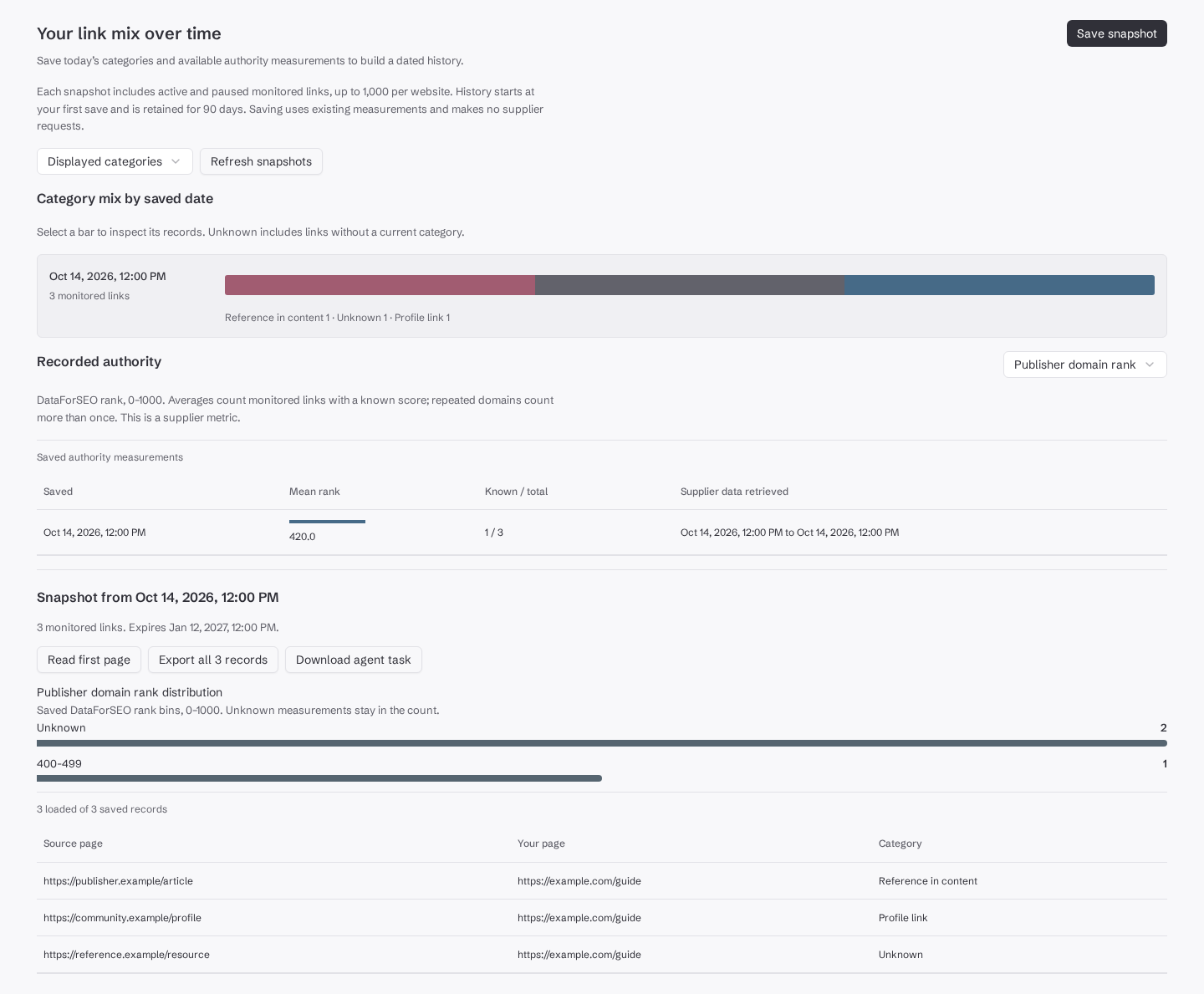
Compare sites: keep each saved population visible
Open Compare sites and select up to 10 accessible websites. The report shows each site’s latest retained snapshot with its saved date and monitored-link count. A site without a saved snapshot is listed as missing; use Save a baseline to open its Link mix report. Compare category shares and native rank coverage with those dates and populations in view. Different dates, monitoring choices and missing measurements can limit the comparison. Each website keeps its own totals; the report does not pool sites or fill missing history with zero. This view compares websites in your workspace. Use competitor research for retained competitor inventories and their separate coverage limits.Export saved records or continue with an agent
Select a snapshot and choose Export all records. This reads every saved record across all pages. The CSV includes source and target URLs, status, the three saved category values and native authority data. The download starts when all pages are ready. A failed or incomplete read does not produce a partial CSV. Download agent task saves the selected snapshot identity and a read command. It does not send a message or start agent work. Give the file to your connected agent when you want it to inspect that saved evidence.get_link_reports accepts projectId, status and limit. Its population can differ from Overview’s live-link breakdowns. Use saved Link mix snapshots for a dated baseline of active and paused monitored links.
Every request remains limited to websites your current access permits. API clients should follow the returned cursor until there are no more pages. A single response page is not the complete export. Expired or erased snapshots require a new baseline; a new save cannot restore their past contents.